VPN Proxy Master - Safer Vpn
SECUREGUARD GROUPTools
4.744.36K Reviews
- Version
- 2.7.3
- Installs
- 100.00M
- Age Rating
- Everyone
Screenshots
Our Review of VPN Proxy Master - Safer Vpn
 Analysis by Appyee
When I judge a VPN, I look beyond whether its main button is easy to find. I want to know whether the app makes sense when I’m tired, whether I can use it without fiddly input, and what happens when a connection is inconvenient. VPN Proxy Master is built around a quick connection, which gives it an appealingly low-effort starting point, though a simple interface is not the same as a complete explanation of what a VPN can and cannot protect.
Readability and everyday navigation
The strongest accessibility point in the published experience is the straightforward layout: open the app, find the connection control, and get online through a VPN without first learning a technical vocabulary. That can matter to someone who has never used a VPN, as well as to a regular user who just wants a repeatable routine. The app is a free Android tool from SECUREGUARD GROUP, and its current version is 2.7.3; it supports Android 6.0 and later.
In my view, the key test for a simple dashboard is not whether it looks clean in a screenshot, but whether a person can tell what state the connection is in after tapping. I’d make a habit of checking the app’s connection status before opening a banking, shopping, or work session, rather than assuming a tap succeeded. That small pause is useful with any VPN, especially when someone is new to the idea that the VPN connection and the phone’s internet connection are separate things.
Different ways of using the app
A one-tap approach can suit people who find long menus tiring or confusing, but it also leaves fewer visible choices for someone who wants to adjust how a connection behaves. If I were helping a relative who is uncomfortable with network settings, I’d show them one simple routine: open the app, connect, wait for confirmation, then browse; disconnect when they no longer need the VPN. I would also explain that a VPN is not a substitute for strong passwords, careful handling of links, or device updates.
For users who rely on larger text, screen readers, switch controls, or other input and display settings, the practical question is whether the app remains understandable with their usual phone setup. I wouldn’t assume a clean interface automatically means every control is easy for every person to perceive or operate. Trying the connection flow with the accessibility settings already enabled is more useful than changing a person’s habits to fit an app.
Where it fits during the day
I can see the quick-connect idea helping during a short stop at a café or while waiting in a public place, when someone wants a familiar step before browsing. It may also be handy for travelers who want a VPN available without managing a complicated setup. Still, I treat a VPN as one layer of protection, not as permission to use any network carelessly. I would avoid entering sensitive details if I had doubts about the site or the device, even with the VPN on.
People who need dependable access for a specific work system, who must meet an organization’s security rules, or who need a particular accessibility feature should check those requirements before relying on this app. A personally chosen VPN may not match an employer’s approved setup, and a simple connection button cannot resolve that mismatch. For someone who needs extensive configuration or clear control over a specialized workflow, a more configurable VPN may be a better fit.
What a VPN can’t settle
VPN apps can make privacy feel reassuringly simple, but I think the wording around protection deserves care. A VPN routes traffic through a VPN provider; it does not make a user anonymous, stop every form of tracking, or guarantee that every ad disappears. People still need to consider account logins, browser tracking, suspicious downloads, and the trust they place in the VPN provider itself. Those distinctions are especially important for new users who might otherwise read “protected” as “risk-free.”
There are practical trade-offs too. A VPN can add another step when a site or service reacts differently to a routed connection, and connection quality may vary with the server and the network being used. If a page stalls, I’d first check whether the VPN is still connected, then try a different server or temporarily disconnect if the task does not involve sensitive traffic. That is a more useful troubleshooting habit than repeatedly tapping the same button.
Who is likely to appreciate it?
This app is best suited to someone who values a low-friction way to start using a VPN and does not want to manage a lot of network settings. It has broad adoption, with over 100 million installs, and a 4.7 average from around 1.4 million ratings, but popularity is not a substitute for checking whether the app meets a person’s own privacy and accessibility needs. It is free to install, rated for Everyone, and includes in-app purchases ranging from $0.99 to $79.99 per item, so I’d review the purchase choices carefully before confirming anything.
I’d be more cautious about recommending it to someone who expects a VPN alone to block scams, hide all browsing activity, or guarantee access to a particular streaming catalog. I’d also point a user with a strict privacy threat model toward comparing providers’ current policies and controls rather than choosing on convenience alone. People who need a service explicitly approved by work or school should use that organization’s guidance instead of substituting a personal app.
Choosing a VPN that fits your routine
Compared with the usual alternatives, a quick-connect VPN is easier to approach than a tool that exposes many technical settings, while a highly configurable option can be a better match for people who need precise control. The trade-off is that simplicity can make it harder to inspect or tailor the connection. I’d choose based on the actual task: casual protection on everyday browsing may call for convenience; sensitive professional access calls for a provider and setup that meet the relevant requirements.
For a realistic routine, imagine checking a map and reading the news during a lunch break on a shared network. I would connect first, confirm the VPN is active, and then use the phone as usual. If a service refuses to load, I would not assume the app is broken or that the network is unsafe; I’d check the connection, try another server if available, and decide whether that particular task truly needs the VPN. For payment or account access, I’d also check the site address and use my usual account protections.
A few habits make the experience more dependable. I would connect before opening the apps I want covered, because turning on a VPN midway through a session can leave me unsure which traffic used which route. I’d avoid switching servers repeatedly just to chase a small speed difference, since that can interrupt a call or download. And if a task needs a stable connection—such as a live meeting—I’d test the VPN beforehand rather than making the first connection attempt while someone is waiting.
One practical question is whether a free app is enough. For casual use, it may be worth trying the basic experience, but I would decide only after checking how the current offer works and whether ads or purchase prompts interrupt my routine. Another is whether it will make every connection faster: I would not count on that. A VPN can sometimes feel responsive, but it also adds a route between the phone and a destination, so speed depends on the connection and server conditions.
Another common concern is whether a VPN guarantees access to a show or website from another region. I would not plan around that promise: services can change how they handle VPN traffic, and access can vary. If a particular catalog or site is the main reason for installing the app, I’d test that exact service before paying for anything. The same cautious approach applies to privacy: I’d read the provider’s current terms and make sure its approach matches what I’m trying to protect.
The app was released on October 10, 2017, and its sizable audience suggests it has become a familiar option for many Android users. That history and the strong average rating can help someone decide whether it is worth a look, but they don’t answer the personal questions that matter most: does it work on your phone, does the interface suit you, and do its protections fit your needs? I’d treat those as a short trial checklist rather than assuming popularity settles the choice.
On balance, I see VPN Proxy Master as a convenient entry point for people who want a simple way to connect and are willing to learn the limits of VPN protection. The easy starting point may help users who find technical tools intimidating, while ads, variable connection quality, and limited visible control may frustrate others. I’d recommend trying it for ordinary browsing if it suits your device and routine, but I would choose a more transparent or specialized service when accessibility controls, organizational approval, or detailed privacy requirements are non-negotiable.
Let’s dive into the world of VPN Proxy Master, a nifty app that’s been making waves in the realm of online privacy. If you’re like me and spend a lot of time browsing, streaming, or just plain ol’ surfing the internet, you’ve probably pondered the need for a solid VPN. Well, I’ve taken VPN Proxy Master for a spin, and here’s what I found.
Why a VPN, You Ask?
First off, a quick note on why VPNs are essential. They’re like your personal bodyguard for all things internet. Not only do they mask your IP address, but they also encrypt your data, making your online activities practically invisible to prying eyes. Imagine browsing without the nagging fear of hackers, trackers, or those annoying ads that seem to follow you around!
Sleek and Easy Setup
Setting up VPN Proxy Master was a breeze. I downloaded the app from the Play Store, and within minutes, I was ready to roll. The interface is super user-friendly, which means even if you’re not a tech whiz, you won’t have any trouble navigating through the app. A big thumbs up for making privacy accessible to everyone!
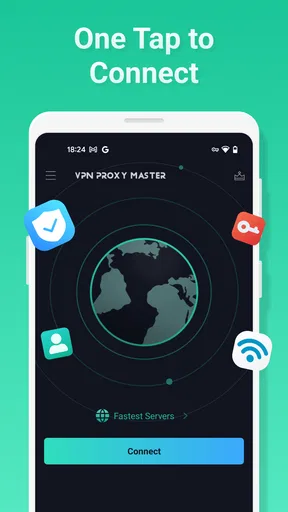
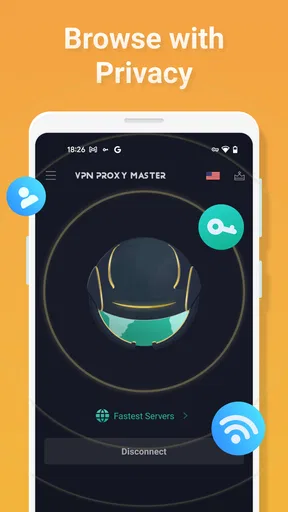
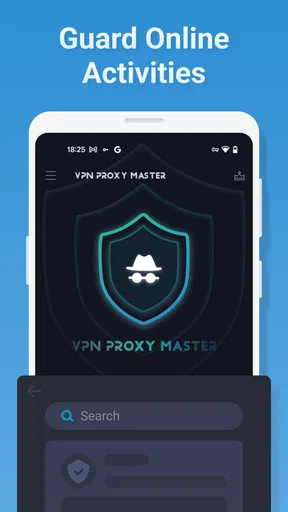
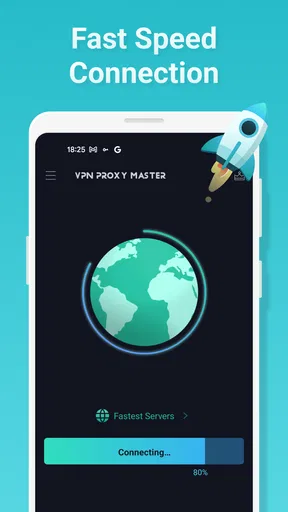
Once you open the app, you’re greeted with a crisp, clean dashboard. A single tap is all it takes to connect to a server. Yes, it’s that simple! No complicated settings or confusing options to sift through. Just tap, connect, and you’re good to go.
Speed Matters
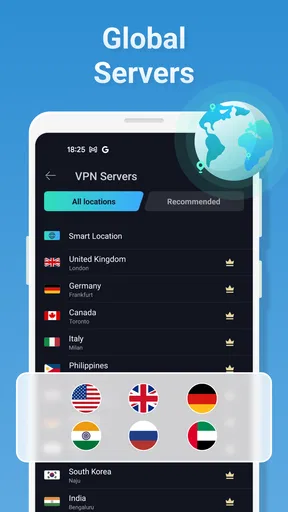
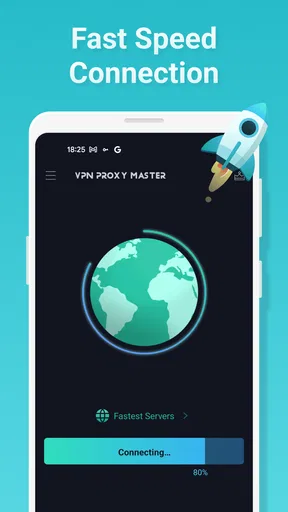
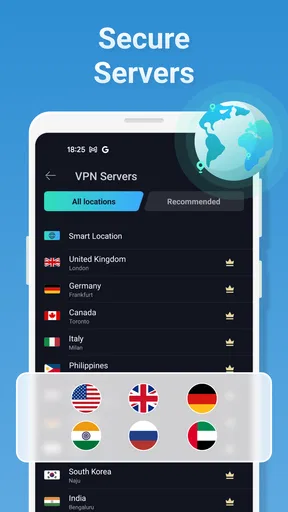
Now, I know what you’re thinking—does using a VPN slow down your internet? Well, with VPN Proxy Master, the difference in speed was barely noticeable. Whether I was streaming videos, downloading files, or just browsing, everything ran smoothly. The app offers a wide range of servers across the globe, so you can switch around to find the fastest connection available.
Security Features
When it comes to security, VPN Proxy Master doesn’t skimp on features. It employs military-grade encryption to keep your data safe and sound. Plus, it has a no-log policy, which means they don’t keep track of your online activities. This is a huge plus for anyone concerned about privacy.
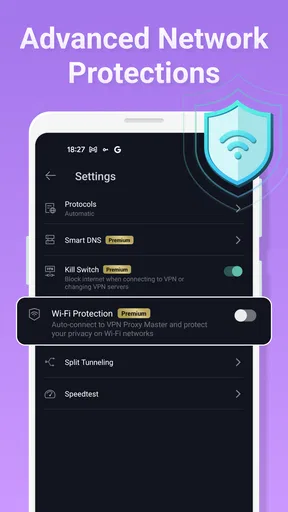
There’s also an automatic kill switch feature, which is a lifesaver. If your VPN connection drops unexpectedly, this feature ensures your data isn’t exposed by cutting off your internet connection until the VPN is back up and running.
Streaming and Bypassing Restrictions
One of the main reasons I wanted to try out VPN Proxy Master was to see how it handled streaming. I’m happy to report that it unblocks popular streaming services like Netflix, Hulu, and BBC iPlayer without a hitch. No more annoying "not available in your region" messages!
Moreover, this VPN is great for bypassing geo-restrictions, which means you can access content from all over the world. Perfect for those of us who love international shows and movies.
A Few Considerations
While VPN Proxy Master has a lot to offer, no app is without its quirks. The free version does come with ads, which can be a bit distracting at times. However, they’re not overly intrusive, and if you find them bothersome, the premium version is ad-free and offers even faster speeds.
Also, while the range of servers is impressive, some servers were slower than others. It’s worth experimenting with different servers to find the one that works best for you.
Final Thoughts
All in all, VPN Proxy Master is a solid choice for anyone looking to safeguard their online activities without sacrificing speed or convenience. It’s easy to use, packed with essential features, and offers excellent performance for both browsing and streaming.
So, if you’re in the market for a reliable VPN that won’t break the bank, give VPN Proxy Master a whirl. You might just find it’s the perfect fit for your digital lifestyle. Happy browsing, folks!
Verdict
Strengths of VPN Proxy Master - Safer Vpn
- Easy to use interface for all users.
- Unlimited bandwidth without throttling.
- Supports multiple devices simultaneously.
- High-speed servers for smooth browsing.
- No logs policy ensures privacy.
Limitations of VPN Proxy Master - Safer Vpn
- Some servers may have slow speeds.
- Free version has limited features.
- Occasional connection drops reported.
- Ads in the free version can be intrusive.
- Limited server locations for free users.
Similar Picks in This Category
View All
Google LLC4.0

Gboard - the Google Keyboard
Google LLC4.5

Google Play services
Google LLC4.3

Google Play Store
Google LLC4.9

Files by Google
Google LLC4.5

SHAREit: Transfer, Share Files
Smart Media4U Technology Pte.Ltd.4.3
Frequently Asked Questions
What features does VPN Proxy Master offer?
VPN Proxy Master provides a range of features including high-speed connections, global server access, military-grade encryption, and a no-logs policy. It supports streaming services and offers a kill switch for added security. The app is designed to ensure privacy and protect data on public Wi-Fi networks.
Is VPN Proxy Master free to use?
VPN Proxy Master offers both free and premium versions. The free version provides basic services with limited server access, while the premium subscription offers enhanced features such as faster speeds, more server locations, and priority customer support. Users can choose a plan based on their needs.
How secure is VPN Proxy Master?
VPN Proxy Master uses AES-256 encryption, which is considered highly secure and is commonly used by governments for sensitive data protection. It also implements a strict no-logs policy, ensuring that user activity is not recorded or shared, enhancing online privacy and security.
Can VPN Proxy Master unblock streaming services?
Yes, VPN Proxy Master is designed to unblock popular streaming services like Netflix, Hulu, and BBC iPlayer. By connecting to servers in different countries, users can bypass geo-restrictions and access content that may not be available in their region, making it ideal for streaming enthusiasts.
What platforms is VPN Proxy Master available on?
VPN Proxy Master is available on multiple platforms, including Android, iOS, Windows, and macOS. This cross-platform availability ensures that users can protect their privacy and access content securely across different devices, making it versatile for a variety of users.
